
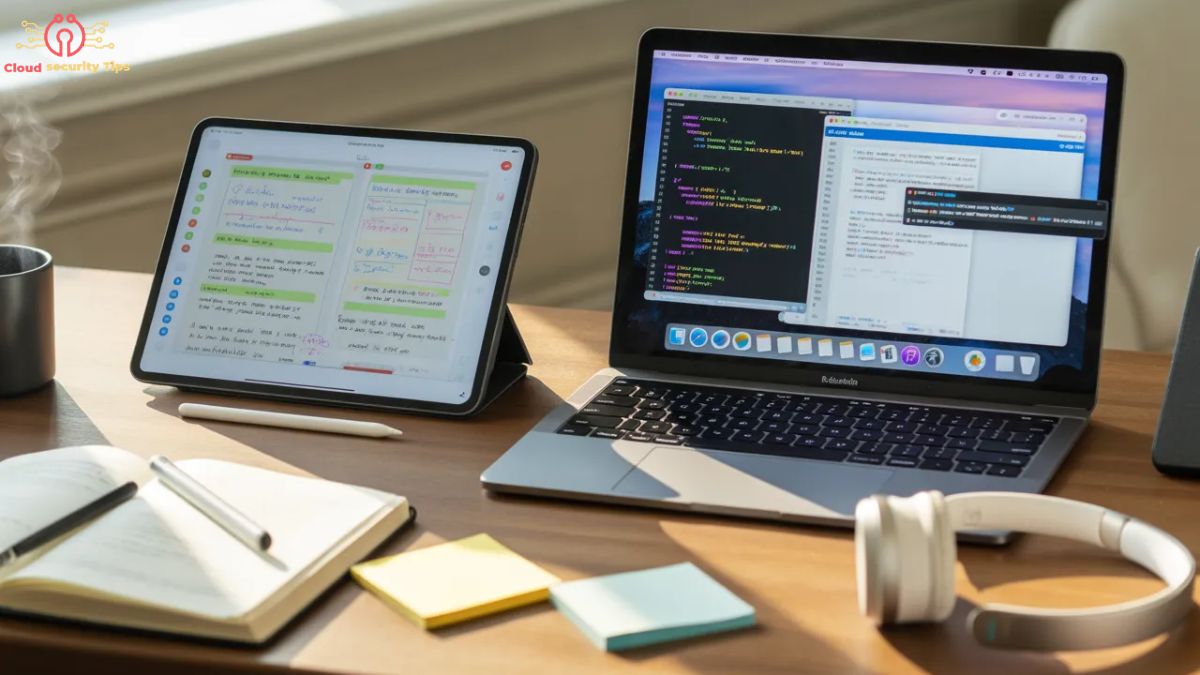
Choosing between an iPad and a MacBook can feel overwhelming, especially for students who want the best device for studying, assignments, and daily use. Both devices are powerful in their own way, but they serve different purposes.
Some students prefer the flexibility and portability of an iPad, while others need the performance and multitasking capabilities of a MacBook. The real decision depends on how you study, what tasks you perform daily, and what kind of experience you expect from your device.
In this detailed comparison, we will break everything down in a simple and practical way so you can confidently decide which device suits your needs—not just today, but also in the future as your academic requirements grow.
iPad vs MacBook: Understanding the Core Difference
Before going into deep comparisons, it is important to understand the basic difference between these two devices.
What Makes the iPad Unique?
The iPad is designed to be simple, lightweight, and interactive. It offers a touch-based experience that feels natural, especially for students who like writing notes by hand or using visual learning methods. With support for stylus input, it becomes more than just a tablet—it becomes a digital notebook.
What Makes the MacBook Different?
The MacBook is a full laptop built for serious productivity. It provides a traditional desktop-like experience with a powerful operating system, proper file management, and the ability to run professional software. It is built for students who need reliability and performance for complex tasks.
Performance and Everyday Usage
When it comes to performance, both devices are fast, but the experience they offer is quite different.
How iPad Handles Daily Tasks
The iPad performs very smoothly for everyday student activities like browsing, watching lectures, reading PDFs, and taking notes. It feels fast and responsive because it is optimized for simpler workflows.
However, when you try to push it beyond basic use—like running multiple heavy apps at once—you may notice limitations in how smoothly it handles everything together.
How MacBook Handles Heavy Work
The MacBook is built for handling multiple tasks at the same time without slowing down. Whether you are writing assignments, researching on multiple tabs, attending online classes, or working on software tools, it manages everything efficiently.
This makes it a better option for students who want long-term performance without restrictions.
Portability and Daily Student Life
For students, portability matters a lot because devices are used in classrooms, libraries, and even while traveling.
Carrying an iPad Throughout the Day
The iPad is extremely easy to carry. It is lightweight, compact, and can be used in almost any position—whether you are sitting, standing, or even lying down. This makes it perfect for casual and flexible use.
Using a MacBook on the Go
The MacBook is still portable, but it is more suited for structured use. You typically need a flat surface like a desk or table to use it comfortably. While it is not heavy, it does not offer the same freedom as an iPad.
Note-Taking and Study Experience
This is one of the most important factors for students.
Writing Notes on iPad
The iPad completely changes how note-taking feels. Writing with a stylus allows you to draw diagrams, highlight text, and organize ideas visually. This is especially useful for subjects that require creativity or visual understanding.
Students who enjoy handwriting often find the iPad more engaging and effective.
Typing and Organizing on MacBook
The MacBook provides a more structured way to take notes. Typing is faster, more organized, and easier to manage when dealing with large amounts of information.
For assignments, reports, and long documents, the MacBook offers a much smoother workflow.
Multitasking and Productivity
As your academic workload increases, multitasking becomes essential.
Multitasking on iPad
The iPad supports multitasking, but it is limited compared to a laptop. Switching between apps or using split-screen works, but it does not feel as natural or powerful.
Multitasking on MacBook
The MacBook excels in this area. You can open multiple applications, switch between them instantly, and manage your work without interruptions. This is especially useful for research, writing, and project-based tasks.
Online Classes and Digital Learning
Modern education relies heavily on online learning tools, so your device must handle them efficiently.
Learning Experience on iPad
The iPad works well for attending online classes, watching lectures, and taking notes simultaneously. Its touch interface makes it easy to interact with content.
Learning Experience on MacBook
The MacBook provides a more complete experience. You can attend meetings, take notes, open documents, and browse resources—all at the same time without limitations. This makes it ideal for students with demanding schedules.
Programming, Software, and Advanced Work
Not all students have the same needs. Some require advanced tools.
Limitations of iPad for Advanced Tasks
The iPad is not designed for heavy technical work. While it can handle basic tasks, it lacks support for many professional tools required for programming, development, or advanced editing.
Why MacBook is Better for Technical Students
The MacBook is the clear choice for students in fields like computer science, engineering, or media production. It supports a wide range of software and allows you to work without restrictions.
Long-Term Value and Future Use
When buying a device, you should think beyond your current needs.
Is iPad a Long-Term Solution?
The iPad is great for short-term or basic academic use. However, as your studies become more advanced, you may start feeling its limitations.
Is MacBook a Better Investment?
The MacBook is more future-proof. It can handle both basic and advanced tasks, making it a reliable choice for students who want one device for their entire academic journey.
As software and learning methods evolve, having a device that can adapt to future updates becomes very important—and this is where the MacBook has an advantage.
Can an iPad Replace a Laptop?
This question depends on how you plan to use your device.
For simple tasks like reading, note-taking, and attending classes, the iPad can work as a replacement. But if your work involves multitasking, assignments, or professional tools, it cannot fully replace a laptop.
Choosing the Right Device Based on Your Needs
Every student is different, and the right choice depends on your personal workflow.
When iPad is the Better Choice
If your focus is on portability, handwritten notes, and simple daily tasks, the iPad offers a flexible and enjoyable experience.
When MacBook is the Better Option
If you need performance, reliability, and the ability to handle complex work, the MacBook is the smarter choice.
Final Verdict: Which One Should You Choose?
Both the iPad and MacBook are excellent devices, but they are built for different purposes.
The iPad stands out for its flexibility, creativity, and ease of use. It is ideal for students who want a lightweight and interactive study tool.
The MacBook, however, delivers power, efficiency, and long-term value. It is better suited for students who need a complete system for serious academic work.
If you are just starting or prefer a simple experience, the iPad may be enough. But if you want a device that will grow with your needs and support you in the long run, the MacBook is the better investment.
Conclusion
At the end of the day, the decision between iPad and MacBook comes down to how you study and what you expect from your device.
Think about your daily tasks, your future goals, and how much flexibility or power you need. Choosing the right device is not about picking the most popular option—it is about choosing what truly works for you.
As technology continues to evolve and new updates are introduced, both devices will keep improving. But making the right choice now will help you stay productive and focused throughout your academic journey.
1 thought on “iPad vs MacBook: Best Choice for Students”