
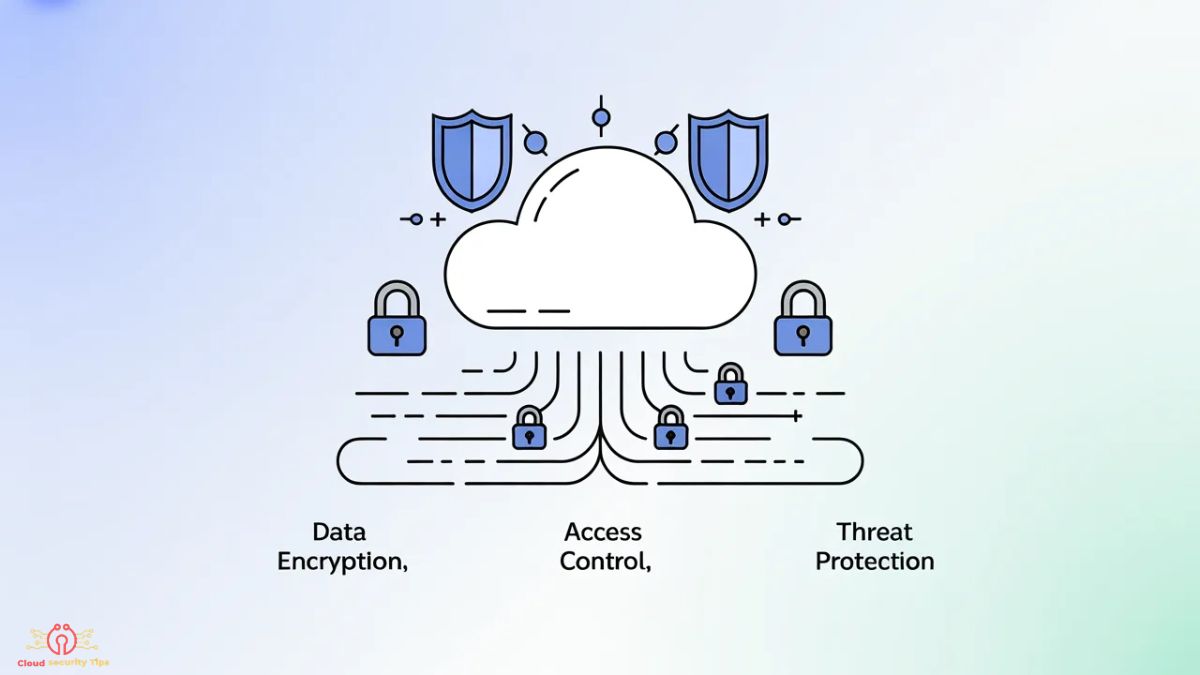
Cloud Security: Fix Risks, Stop Attacks, Secure Everything
In today’s cloud-first world, securing your infrastructure isn’t optional—it’s essential. With increasing cyber threats, data breaches, and sophisticated attacks targeting misconfigurations, following proven cloud security tips can save your organization from costly incidents. Whether you’re using AWS, Azure, Google Cloud, or a multi-cloud setup, these practical strategies help you build a strong defense without overwhelming complexity.
Cloud environments offer incredible scalability and flexibility, but they also shift responsibilities. Many breaches in recent years stemmed from simple oversights rather than advanced hacking. By implementing the right controls, staying vigilant, and adopting modern frameworks like Zero Trust, you can significantly reduce risks while maintaining agility.
In this guide, we’ll walk through actionable cloud security tips covering foundational concepts, identity protection, data safeguards, monitoring, and more. These recommendations draw from industry best practices across major cloud providers and help you create a resilient security posture.
Understand the Shared Responsibility Model in Cloud
One of the most important cloud security tips starts with clarity: security in the cloud is a shared effort between you and your cloud provider.
Under the Shared Responsibility Model, the provider secures the underlying infrastructure—the physical data centers, hardware, hypervisors, and core services. For example, AWS handles the security of the cloud, while you are responsible for security in the cloud, including your data, applications, configurations, identity management, and access controls.
In Azure and Google Cloud, the principle remains similar: the provider manages the physical and virtualization layers, but you own configuration of networks, storage permissions, encryption keys, and user access.
Why does this matter? Many organizations mistakenly assume the provider protects everything. This misunderstanding leads to exposed storage or weak access controls. To apply this tip effectively:
- Review your provider’s shared responsibility documentation specific to each service you use.
- Clearly define what your team must secure (e.g., IAM policies, bucket permissions, encryption).
- Document responsibilities in your internal security policies to avoid gaps during team handovers or audits.
Understanding this model is the foundation for all other cloud security tips—it ensures you focus efforts where they matter most: your configurations and data.
Implement Strong Identity and Access Management (IAM)
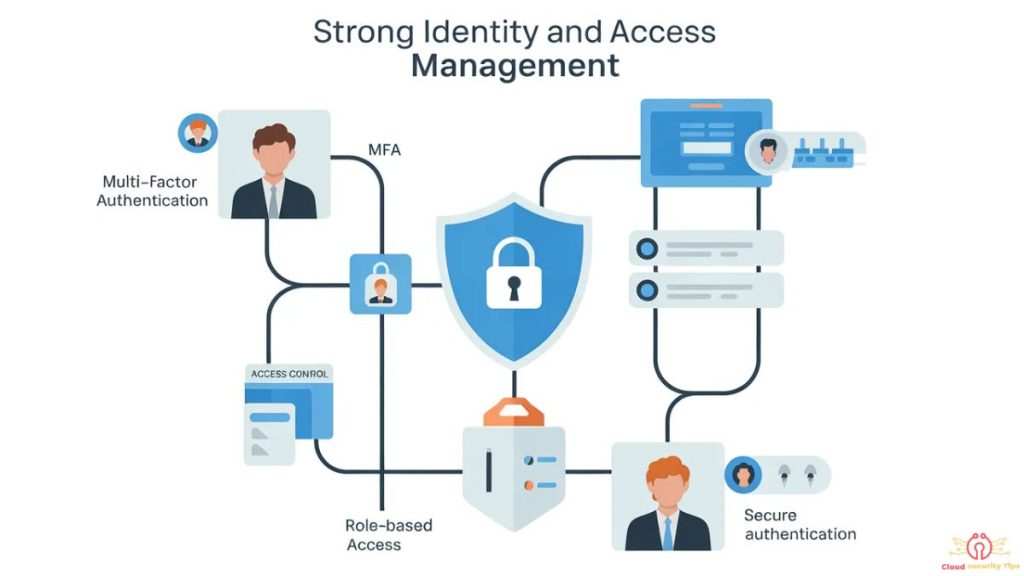
Strong Identity and Access Management (IAM) forms the cornerstone of cloud security. In 2026, with rising credential-based attacks, robust IAM is non-negotiable.
Start by creating unique identities for every user, service, and application instead of relying on shared or root accounts. Use role-based access and temporary credentials wherever possible.
Practical cloud security tips for IAM:
- Avoid long-lived access keys; prefer managed identities or instance profiles that rotate automatically.
- Implement conditional access policies based on location, device, or risk signals.
- Regularly rotate credentials and remove unused accounts or keys.
Across AWS, Azure, and GCP, centralized IAM tools help enforce consistent policies even in multi-cloud environments. When done right, strong IAM reduces the attack surface dramatically and makes auditing far easier.
Enforce Multi-Factor Authentication (MFA) Everywhere
One of the simplest yet most effective cloud security tips is enforcing Multi-Factor Authentication (MFA) across all accounts—especially privileged ones.
MFA blocks the vast majority of automated attacks by requiring a second verification factor (such as authenticator apps, hardware keys, or passkeys). In 2026, phishing-resistant MFA options like FIDO2 and hardware tokens offer even stronger protection.
Actionable steps:
- Enable MFA for all human users, including administrators and developers.
- Extend MFA to service accounts and API access where supported.
- Use risk-based or contextual MFA that triggers additional checks for suspicious logins.
Make MFA mandatory from day one. Many cloud providers now offer easy ways to enforce it organization-wide. This single control delivers outsized protection against account takeovers.
Apply the Principle of Least Privilege (PoLP)
The Principle of Least Privilege (PoLP) means granting users and services only the minimum permissions they need to perform their tasks—and nothing more.
Overly broad permissions remain one of the leading causes of cloud breaches. If a compromised account has admin rights, the damage can be catastrophic.
How to implement PoLP effectively:
- Start with read-only or minimal roles and add permissions only when required.
- Use just-in-time (JIT) access for elevated privileges.
- Regularly review and revoke unnecessary permissions.
Apply this across IAM roles, storage access, network rules, and database permissions. Tools from your cloud provider can help analyze and suggest tighter policies. Following PoLP is a continuous process that significantly strengthens your overall security posture.
Encrypt Your Data at Rest and in Transit

Encryption protects your data even if other controls fail. Make it a default practice rather than an afterthought.
Encrypt data at rest using provider-managed keys or customer-managed keys (e.g., AWS KMS, Azure Key Vault, Google Cloud KMS). Enable automatic encryption for storage services, databases, and backups.
Encrypt data in transit with strong protocols like TLS 1.3. Disable outdated versions and enforce HTTPS everywhere.
Additional tips:
- Use envelope encryption for sensitive workloads.
- Rotate encryption keys on a schedule.
- Ensure backups and snapshots are also encrypted.
Proper encryption helps meet compliance requirements (GDPR, HIPAA, PCI-DSS) while providing a strong last line of defense.
Avoid Common Cloud Misconfigurations
Misconfigurations continue to be a top cause of cloud incidents in 2026. Simple errors—like leaving resources publicly accessible—can expose sensitive data to the internet.
Common pitfalls to watch for:
- Overly permissive security groups or firewall rules allowing unrestricted inbound traffic.
- Default settings left unchanged (e.g., public access enabled).
- Hardcoded secrets in code or configuration files.
- Unnecessary services or ports left open.
Prevention strategies:
- Adopt infrastructure-as-code (IaC) with built-in security scanning.
- Use cloud posture management tools to continuously detect and alert on risky configurations.
- Implement policy-as-code to enforce secure defaults from the start.
Regularly scan your environment and treat misconfiguration remediation as a high-priority task. Prevention through automation is far more effective than manual fixes after the fact.
Secure Your Storage Services (S3, Blob, Buckets etc.)
Cloud storage services like AWS S3, Azure Blob Storage, and Google Cloud Storage are frequent targets due to their convenience and scale.
Key cloud security tips for storage:
- Block public access by default and use bucket policies or ACLs to restrict access strictly.
- Enable versioning and object lock features for ransomware protection.
- Avoid granting broad “authenticated users” permissions.
- Use private endpoints and VPC-only access where possible.
Always combine these with encryption and logging. Regularly audit storage permissions, especially after team changes or new deployments. A single misconfigured bucket can lead to massive data exposure—don’t let it happen to you.
Enable Continuous Monitoring and Logging
You can’t protect what you can’t see. Continuous monitoring and logging provide visibility into activities across your cloud environment.
Enable detailed logging for IAM actions, storage access, network traffic, and API calls. Centralize logs in a secure location for easier analysis.
Best practices:
- Set up alerts for suspicious activities, such as unusual login locations or permission changes.
- Integrate with Security Information and Event Management (SIEM) systems or cloud-native security tools.
- Review logs regularly and retain them according to compliance needs.
In 2026, AI-powered anomaly detection in monitoring tools helps surface threats faster. Make monitoring proactive rather than reactive.
Adopt Zero Trust Architecture in Cloud
Zero Trust Architecture is no longer optional in modern cloud security. The core idea is simple: “Never trust, always verify.”
In a Zero Trust model, every access request—whether from inside or outside the network—is authenticated, authorized, and continuously validated based on multiple signals (identity, device health, location, behavior).
How to adopt Zero Trust in the cloud:
- Implement micro-segmentation to isolate workloads.
- Use continuous verification for all users and devices.
- Combine it with least privilege, MFA, and strong encryption.
Major cloud providers offer native services that support Zero Trust principles. Start small by applying it to high-value assets and expand over time. This approach dramatically reduces the impact of any single breach.
Regularly Audit and Review Permissions
Permissions drift over time as teams grow, projects evolve, and temporary access becomes permanent. Regular audits keep your environment tight.
Effective audit practices:
- Schedule quarterly (or more frequent) reviews of IAM roles, groups, and policies.
- Identify and remove unused accounts, roles, or excessive permissions.
- Use automated tools to generate reports on permission usage.
Document findings and track remediation. Audits not only improve security but also help demonstrate compliance during assessments.
Implement Robust Backup and Disaster Recovery Plans
Even with strong preventive controls, incidents can happen. Robust backup and disaster recovery (DR) plans ensure business continuity.
Cloud security tips for backups:
- Follow the 3-2-1 rule: 3 copies of data, on 2 different types of media, with 1 offsite or immutable.
- Encrypt all backups and test restores regularly.
- Use immutable storage options to protect against ransomware.
- Define clear Recovery Time Objectives (RTO) and Recovery Point Objectives (RPO).
Store backups separately from production environments and automate testing. A well-tested DR plan turns potential disasters into manageable events.
Use Cloud Security Tools and Automation for Protection
Manual processes can’t keep up with the scale and speed of cloud environments. Leverage cloud security tools and automation to stay ahead.
Recommended approaches:
- Use Cloud Security Posture Management (CSPM) tools for continuous compliance checks.
- Deploy Cloud Workload Protection Platforms (CWPP) for runtime security.
- Integrate security scanning into CI/CD pipelines (shift-left security).
- Automate responses to common threats where possible.
Compare native tools from your provider with third-party solutions based on your needs. Automation reduces human error and frees your team to focus on strategic initiatives.
Future Updates & Continuous Security Improvements
Cloud security is not a one-time setup; it is an ongoing process that evolves with new threats, technologies, and compliance requirements. Future updates to this guide will reflect the latest cloud security practices, emerging attack patterns, and updated mitigation strategies across identity management, data protection, and infrastructure security.
As cloud platforms introduce new features and security controls, recommendations related to IAM policies, MFA enforcement, encryption standards, and access governance may be refined to align with best practices. Updates will also include improvements in misconfiguration prevention, zero trust implementation, monitoring tools, and automated security workflows.
This section will be regularly expanded to cover new risks in storage security (S3, blob, buckets), backup and disaster recovery strategies, and cloud-native security automation tools. Any major shifts in shared responsibility models or provider-level security frameworks will also be documented here.
Users are advised to revisit this guide periodically to stay aligned with the latest cloud security standards, threat landscape changes, and compliance requirements.
Final Thoughts on Strengthening Your Cloud Security
Implementing these cloud security tips creates layered protection that adapts to evolving threats. Start with the fundamentals—Shared Responsibility Model, IAM, MFA, and Least Privilege—then build upon them with encryption, monitoring, Zero Trust, and automation.Security is an ongoing journey, not a one-time project. Review your posture regularly, stay updated with provider announcements, and foster a security-aware culture across your teams.By prioritizing these practices, you not only reduce risks but also build trust with customers and partners. In 2026 and beyond, organizations that treat cloud security as a strategic advantage will thrive in an increasingly connected world.
2230939cf8d27dce6cdc02efab3fc91de763e8cf308e0006c17c50a781366619
pin-up casino az
casino utan svensk licens bonus
Rəsmi məlumatlar və giriş ünvanı üçün pinco official site ziyarət edilməlidir.
The best online casino in canada will feature over 2,500 unique slot machines and video poker games.
Qeydiyyat prosesini tamamladıqdan sonra Pinco sizə xoş gəldin paketi təqdim edəcək.
Функция избранного в 1xBet помогает собрать личный список лиг и команд.