
Most people don’t think about URL encoding until something breaks. A link stops working, an API request fails, or tracking parameters disappear without explanation. At that point, the issue isn’t random—it’s almost always a problem with how the URL was formatted.
A proper URL encoder tool eliminates these issues instantly, but using a tool without understanding the underlying logic is where most users go wrong. If you don’t understand how encoding works, you’ll keep fixing symptoms instead of solving the actual problem.
Understanding URL Encoding in Simple Terms
URL encoding is the process of converting characters into a format that can be safely transmitted over the internet. Not every character is allowed in a URL. Spaces, symbols, and certain special characters can break a request if they’re not encoded correctly.
Instead of sending raw text, the system converts unsafe characters into a standardized format known as percent encoding. For example, a space becomes %20, and special characters like & or @ are also transformed into encoded equivalents.
This isn’t optional behavior—it’s a fundamental rule of how browsers, servers, and APIs communicate.
From an SEO and development perspective, this ties directly into a cluster of concepts: URL structure, encoded URLs, query parameters, safe URL characters, and web encoding standards. If any of these are mishandled, the entire request chain becomes unreliable.
How a URL Encoder Tool Actually Solves the Problem
A free online URL encoder simplifies what would otherwise be a manual and error-prone process. You input a raw string or URL, and the tool converts it into a properly encoded format that can be safely used in browsers, APIs, or applications.
The real advantage isn’t speed—it’s accuracy. Manual encoding often leads to inconsistencies, especially when dealing with complex query strings or tracking parameters.
However, blindly relying on tools creates another problem. If you don’t verify the encoded output, you won’t notice issues like double encoding or incorrect formatting. That’s why professionals combine URL encoding tools, validation steps, and debugging practices instead of depending on a single action.
URL Encoding Errors: What They Really Are
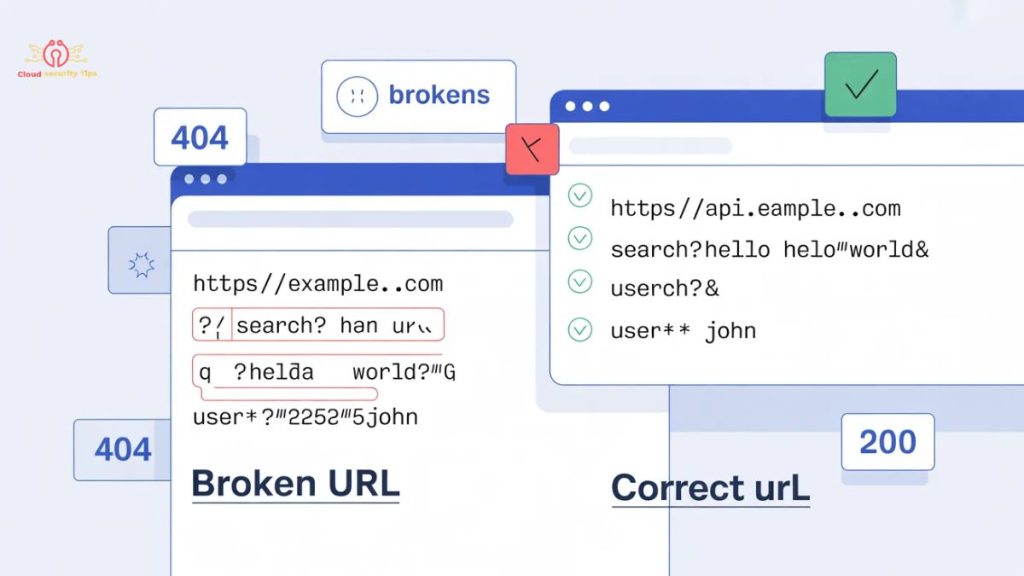
What many people call a “URL encoder spell mistake” is rarely just a typo. In most cases, it’s a deeper formatting issue caused by incorrect handling of characters within the URL.
There are three common scenarios that get confused:
- A simple typo in the URL
- A structurally broken link
- A true encoding error
The third one is the most dangerous because it’s not always visible. The URL might look correct but still fail because characters are either unencoded, incorrectly encoded, or encoded more than once.
This connects directly to high-intent keyword areas like URL encoding errors, broken URLs, encoding issues in APIs, and malformed URL parameters—all of which signal strong search demand.
Common URL Encoding Mistakes That Break Systems
The most frequent mistake is improper handling of spaces. Some systems use %20, while others interpret + as a space. Mixing these without understanding the context leads to inconsistent behavior.
Another major issue is double encoding, where an already encoded value gets encoded again. For example, %20 becomes %2520, which completely changes the meaning of the URL.
Character encoding mismatches are also common. If one system expects UTF-8 and another uses a different standard, characters may appear corrupted or unreadable.
These problems aren’t edge cases—they appear constantly in real-world environments involving web applications, APIs, form submissions, and tracking URLs.
Fixing URL Encoding Errors the Right Way
Fixing encoding issues requires a structured approach, not guesswork.
The first step is identifying whether the problem is actually related to encoding. Many people misdiagnose the issue and waste time fixing the wrong thing.
Once confirmed, the next step is to decode the URL. This reveals the original data and helps you understand where things went wrong. Without decoding, you’re essentially debugging blind.
After that, the correct approach is to re-encode the data using a reliable method—either through a tool or a programming function. Finally, the result must be tested in a real environment to confirm that the issue is resolved.
This process aligns with practical search intent around how to fix URL encoding errors, debugging encoded URLs, and resolving broken query strings, which are critical for both developers and technical SEO workflows.
The Role of URL Decoding in Debugging
Decoding is the reverse of encoding, but it’s often ignored. That’s a mistake.
If you receive an encoded URL and try to fix it without decoding it first, you’re working without context. Decoding converts the URL back into a human-readable format, making it easier to identify issues.
This is especially important in debugging scenarios involving API requests, dynamic URLs, and encoded parameters, where understanding the original input is essential.
Why URL Encoding Matters for SEO and Crawling
From an SEO perspective, URL encoding directly affects how search engines interpret and index your pages.
Improper encoding can create duplicate URLs, confuse crawlers, and break canonical signals. For example, two URLs that differ only in encoding may be treated as separate pages, leading to indexing inefficiencies.
This connects to a broader keyword cluster involving technical SEO, URL structure optimization, crawlability, indexing issues, and duplicate content management.
Ignoring encoding at this level doesn’t just cause technical problems—it impacts visibility and rankings.
Technical Perspective: Encoding Standards and Developer Logic
Under the surface, URL encoding relies on character encoding standards like UTF-8 and ASCII. UTF-8 is the modern standard because it supports a wide range of characters, including multilingual text.
Different programming languages handle encoding differently. JavaScript uses functions like encodeURIComponent, while Python and PHP provide their own built-in methods.
The key issue isn’t availability—it’s misuse. Developers often apply the wrong function in the wrong context, which leads to subtle but critical errors in query strings and URLs.
This area connects strongly with developer-focused keywords such as URL encoding in JavaScript, Python URL encoding, percent encoding implementation, and handling special characters in URLs.
Real-World Scenarios Where Encoding Fails
Encoding issues become more obvious in practical environments.
In APIs, a single improperly encoded character can invalidate an entire request. In form submissions, user input often contains spaces or symbols that must be encoded before being processed.
Tracking URLs introduce another layer of complexity. Marketing campaigns rely on UTM parameters, and incorrect encoding can break analytics tracking or misattribute traffic sources.
These scenarios highlight why encoding is deeply connected to API integration, form handling, URL parameters, and digital marketing tracking systems.
URL Encoding vs Other Encoding Methods
One common misunderstanding is confusing URL encoding with other formats like Base64 or HTML encoding.
Each serves a completely different purpose. URL encoding ensures safe transmission in web addresses, while Base64 is used for data representation and HTML encoding is used for safe rendering in browsers.
Using the wrong encoding method doesn’t just fail—it introduces new errors that are harder to debug.
Best Practices to Prevent Encoding Issues
The most effective strategy is prevention.
Using UTF-8 consistently across systems eliminates many compatibility issues. Avoiding manual encoding reduces human error, and validating URLs before deployment ensures that problems are caught early.
Automation plays a critical role here. Systems should handle encoding internally rather than relying on user input or manual processes.
This aligns with best-practice keyword clusters like URL validation, encoding standards, automated URL handling, and error prevention in web systems.
Looking Ahead: The Future of URL Encoding
URL encoding isn’t going away, but the way it’s handled is changing.
Modern browsers are becoming better at automatically encoding URLs, reducing the likelihood of user-side errors. At the same time, AI-driven systems are beginning to generate and manage URLs dynamically, including encoding.
However, this shift doesn’t remove the need for understanding—it just changes where mistakes happen. Instead of manual errors, the risk moves toward system-level misconfigurations and automation failures.
Final Perspective
URL encoding seems like a small technical detail, but it quietly controls how data moves across the web. When it’s handled correctly, everything works as expected. When it’s not, systems fail in ways that are often difficult to trace.
The difference between a functioning URL and a broken one can come down to a single encoded character. If that still feels insignificant, you’re underestimating how fragile web communication actually is—and that’s exactly why these issues keep repeating.
FAQs
What is %20 in a URL?
%20 represents a space in URL encoding. Since spaces are not allowed in URLs, they are converted into %20 to ensure proper formatting and transmission.
Why do URLs break when they contain spaces?
URLs break because spaces are invalid characters. If they are not encoded (e.g., into %20), browsers and servers cannot interpret the request correctly.
What is the difference between URL encoding and decoding?
URL encoding converts special characters into a safe format, while decoding reverses the process and returns the URL to its original readable form.
Can browsers automatically encode URLs?
Modern browsers can handle basic encoding automatically, but they are not reliable for complex URLs, especially with query parameters and special characters.
What causes double encoding in URLs?
Double encoding happens when an already encoded value is encoded again. For example, %20 becomes %2520, which can break URLs and API requests.